Image: DJI
A Mini 5 Pro battery that won’t wake up, won’t charge or flashes a pattern you’ve never seen before can stop a day out before it starts. DJI’s Intelligent Flight Batteries have a lot of protection built in, and most “faults” are the battery protecting itself: it’s too cold, too hot, asleep or not seated properly.
This guide explains every battery LED pattern and rule in DJI’s Mini 5 Pro user manual and FAQ, in plain English.
Last checked: 18 October 2026, against DJI’s Mini 5 Pro user manual (v1.0) and FAQ.
Quick answer
A battery that seems dead is usually asleep: press the power button or charge it to wake it. If it won’t charge, make sure the drone is powered off and the battery is between 5° and 40°C. Two LEDs blinking together means the battery isn’t seated properly. Four LEDs blinking together means DJI has detected a damaged battery, so stop using it.
Battery won’t wake up
Brand new? DJI’s first-use steps say to press the power button once to activate the battery.
Activated, then left? DJI’s manual says that if the aircraft doesn’t take off after the battery is activated, the battery goes back into sleep mode once the aircraft has been powered off for a while. Press the power button or charge it to wake it again.
Stored for a while? DJI says the battery enters sleep mode during long-term storage, and charging it brings it out of sleep mode.
To check the charge level at any time, press the power button once. The four battery level LEDs show the level in eight steps, from 0 to 12% up to 88 to 100%.
Battery won’t charge
Work through these in order:
- Power the drone off. DJI says the battery can’t be charged while the aircraft is powered on.
- Let it cool down. DJI says not to charge immediately after a flight because the battery may be too hot. Wait for it to cool to the allowable charging temperature.
- Check the room temperature. The battery only charges between 5° and 40°C, and DJI gives 22° to 28°C as ideal. Charging also stops automatically if the cells go above 55°C.
- Use a suitable charger. DJI recommends its own charging devices or chargers that support the USB PD fast-charging protocol. The LEDs blink faster on a fast charger and slower on a normal one, so slow blinking isn’t a fault.
- Read the protection LEDs (table below), unplug and plug back in if prompted.
What the LED patterns mean
These are the patterns DJI lists in the Mini 5 Pro manual.
| What you see | What DJI says it means | What to do |
|---|---|---|
| Two specific LEDs blink at the same time (shown in the manual) | Battery malfunctioning | Remove the battery, refit it and make sure it clicks in securely |
| Four LEDs blink at the same time | Battery is damaged | Stop using it and contact DJI |
| LED2 blinks twice per second | Overcurrent detected | Unplug the charger and plug it in again |
| LED2 blinks three times per second | Short circuit detected | Unplug the charger and plug it in again |
| LED3 blinks twice per second | Overcharge detected | Unplug the charger and plug it in again |
| LED3 blinks three times per second | Over-voltage charger detected | Unplug, then try a different suitable charger |
| LED4 blinks twice per second | Charging temperature is too low | Warm the battery up; it resumes by itself |
| LED4 blinks three times per second | Charging temperature is too high | Let it cool; it resumes by itself |
DJI says that for any protection mechanism, unplugging and reconnecting the charger resumes charging. For a temperature warning, just wait: the battery resumes charging automatically once the temperature is back to normal.
Charging hub problems
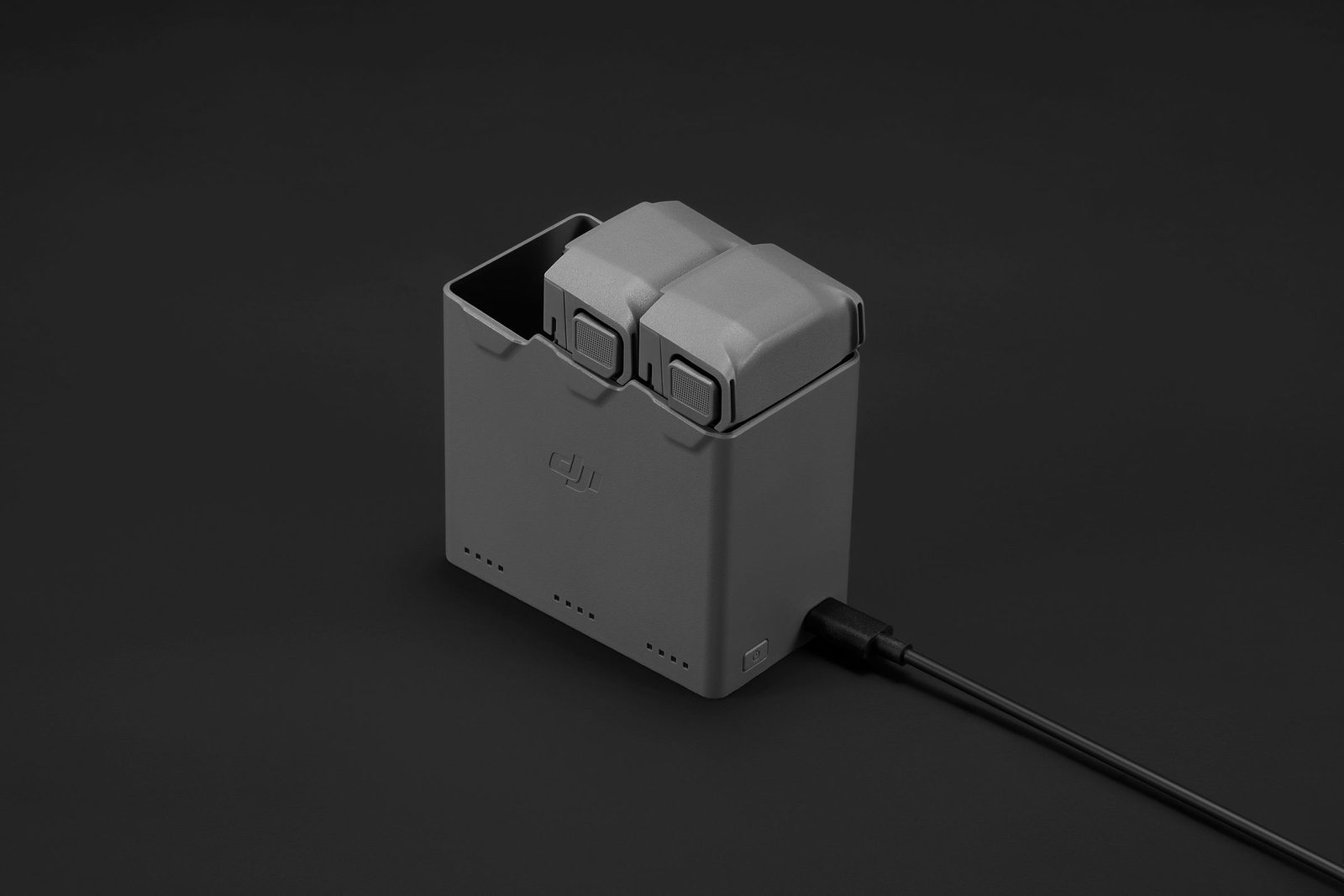
If you have the Two-Way Charging Hub from a Fly More Combo, DJI’s manual says:
- the hub only works with the specific Intelligent Flight Battery model it’s made for, so don’t use it with other batteries,
- charging is faster in a well-ventilated room at about 25°C,
- you should clean the metal terminals with a clean, dry cloth if there’s noticeable build-up, and avoid touching them,
- all status LEDs blinking in sequence means no battery is inserted.
DJI’s FAQ gives these charging times with the DJI 65W Portable Charger and the Two-Way Charging Hub, measured at 25°C: about 46 minutes for one Intelligent Flight Battery, about 56 minutes for one Intelligent Flight Battery Plus, and about 115 minutes for three standard batteries in total. Colder rooms and different chargers take longer.
Flight time dropping, or cold-weather problems
DJI rates the Mini 5 Pro battery for 200 cycles and says continued use after that isn’t recommended. You can check the battery level indicators regularly to keep an eye on overall battery life.
Cold is the other big one in a British winter. DJI says:
- batteries can’t be used below -10°C,
- capacity is significantly reduced between -10° and 5°C, so fully charge before takeoff and hover for a while after takeoff to warm the battery,
- it’s recommended to warm the battery to at least 10°C before takeoff in the cold, ideally above 20°C,
- reduced capacity in the cold also reduces wind resistance, so fly with caution.
There’s more in our guide to flying a drone in wind and cold weather.
Storage rules that protect your warranty
- A fully charged battery discharges itself when it’s idle for a while. DJI says it’s normal for it to feel warm while it does.
- Fully charge it at least once every three months. DJI says a battery that hasn’t been charged or discharged for three months or more is no longer covered by the warranty.
- Store batteries somewhere cool and dry, out of direct sunlight. DJI recommends 22° to 28°C for storage of more than three months, and never outside -10° to 45°C.
- For travel, DJI recommends discharging to 30% or lower.
Our drone battery care guide turns all of that into a simple routine.
The Battery Plus and UK rules
The Intelligent Flight Battery Plus gives a longer flight time (DJI quotes up to 52 minutes, against 36 minutes for the standard battery), but it’s heavier. DJI’s FAQ says that fitting it to the C0-certified Mini 5 Pro takes the drone over the C0/UK0 weight threshold, so it can no longer be flown as C0/UK0. Our Mini 5 Pro UK class mark guide explains what that means.
When to contact DJI support
Contact DJI if four LEDs blink together, if a battery still won’t wake after charging, or if it shows any physical damage. DJI’s disposal advice also says to dispose of a battery immediately if it can’t be powered on after over-discharging, using a proper battery recycling point, never household waste. DJI’s UK support and repair page lists online customer service and an English-language hotline.
Frequently asked questions
Why won’t my Mini 5 Pro battery charge in the drone?
DJI says it can’t charge while the aircraft is powered on. Power off first, and check the battery is between 5° and 40°C.
What does four LEDs flashing mean?
DJI says four LEDs blinking at the same time indicates the battery is damaged.
How long does a Mini 5 Pro battery last?
DJI rates it for 200 cycles. Flight time per charge is up to 36 minutes on the standard battery in DJI’s test conditions.
Do I have to charge batteries I’m not using?
Yes. DJI says fully charge at least once every three months, or the battery loses its warranty cover.
Still stuck?
- Mini 5 Pro won’t take off? What to check
- How to look after your drone batteries
- The full DJI Mini 5 Pro help hub
Sources (checked 18 October 2026)
- DJI Mini 5 Pro User Manual v1.0 (EN): Preparing the Aircraft, 5.8 Intelligent Flight Battery (Notice, Using the Battery, Charging the Battery, Using the Charging Hub, Battery Protection Mechanisms), 7.6 Maintenance Instructions, 7.9 Disposal. dji.com/uk/mini-5-pro/downloads
- DJI Mini 5 Pro FAQ (UK): main improvements (charging times, flight time) and UK certification level. dji.com/uk/mini-5-pro/faq
- DJI Mini 5 Pro specs (UK): max flight time. dji.com/uk/mini-5-pro/specs
- DJI UK support and repair: dji.com/uk/support/repair