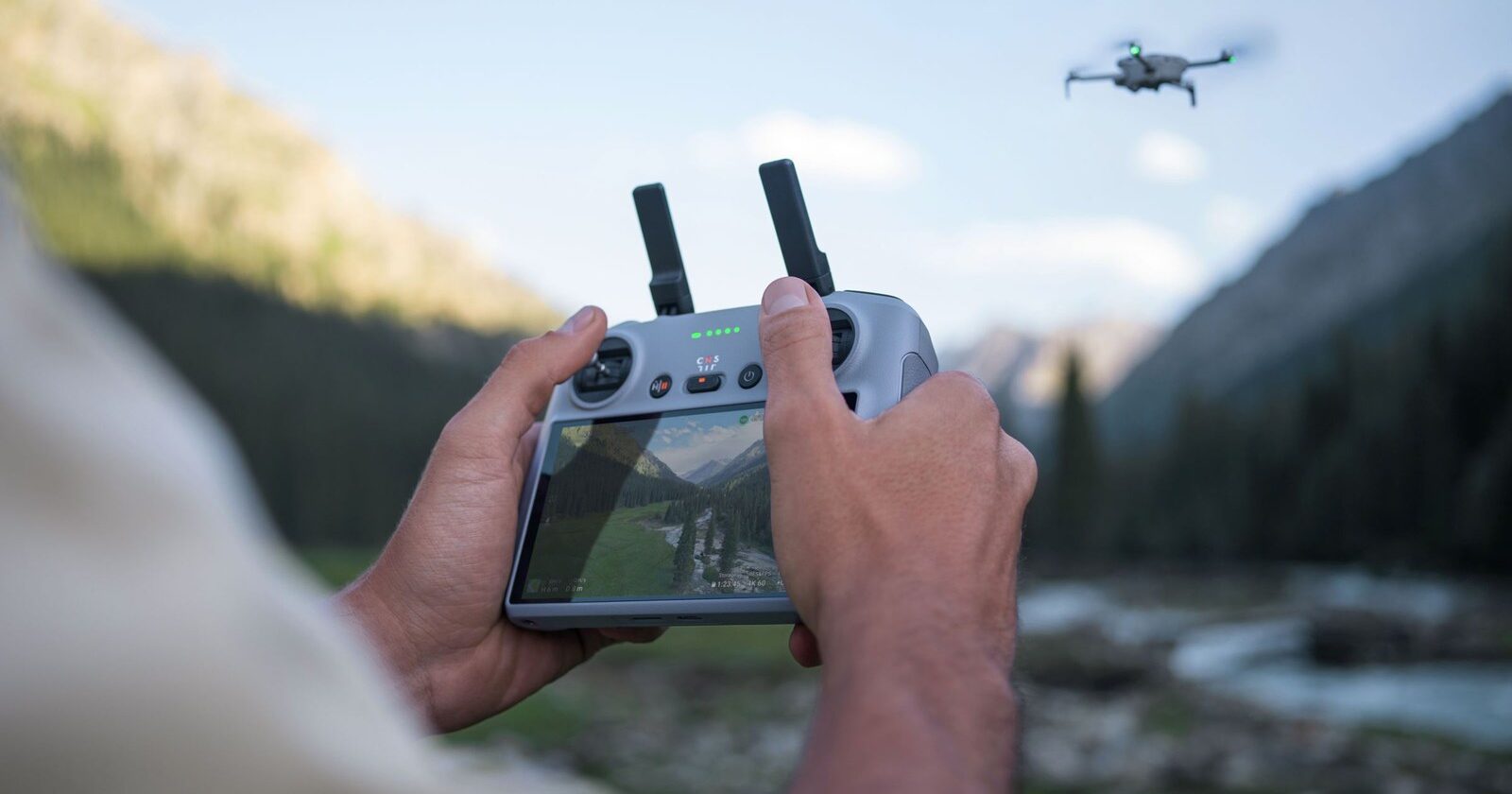
Image: DJI
Your Mini 4 Pro powers up, the controller powers up, and nothing happens between them. Or the controller shows a red light and DJI Fly says it’s disconnected. Connection problems are one of the most common Mini 4 Pro questions, and the fix depends on which controller you have: the DJI RC 2 with its own screen, or the DJI RC-N2 that uses your phone.
This guide follows DJI’s own linking steps for both, plus the checks that solve most failed connections.
Last checked: 18 October 2026, against DJI’s Mini 4 Pro user manual, FAQ and release notes (latest entry dated 5 November 2025).
Quick fix
Power on the drone and the controller, open DJI Fly and, in camera view, open the settings and choose Control > Re-pair to Aircraft. Then press and hold the drone’s power button for more than four seconds, until it beeps once and its battery LEDs blink in sequence. Keep the controller within 0.5 m of the drone while it links.
Step 1: check your controller is compatible
DJI’s Mini 4 Pro FAQ lists the DJI RC-N2 and the DJI RC 2 as compatible controllers. DJI’s Mini 4 Pro release notes also list firmware for the DJI RC-N3 and the DJI RC Pro 2, which DJI added support for in May 2025.
DJI doesn’t list controllers from older drones, such as the RC-N1 or the original DJI RC, so don’t expect them to link to a Mini 4 Pro.

Step 2: read the controller’s lights
DJI RC 2. DJI’s manual lists these status LED colours:
| Status LED | What DJI says it means |
|---|---|
| Solid red | Disconnected from the aircraft |
| Blinking red | Aircraft battery level is low |
| Solid green | Connected with the aircraft |
| Blinking blue | Linking to an aircraft |
| Solid yellow | Firmware update failed |
| Solid blue | Firmware update successful |
| Blinking yellow | Controller battery level is low |
| Blinking cyan | Control sticks not centred |
DJI also says the RC 2’s indicator glows red after it disconnects from the aircraft, and that the controller beeps and powers off by itself after a long time disconnected with no operation.
DJI RC-N2. DJI says the battery level LEDs start blinking slowly after the controller disconnects from the aircraft. Once linking succeeds, they light up and stay solid.
If the RC 2 shows solid yellow, a firmware update failed. Our guide to a Mini 4 Pro firmware update that failed walks you through it.
Step 3: activate everything first
DJI’s FAQ says a new Mini 4 Pro needs activating through DJI Fly with an internet connection.
- With the RC-N2: connect a phone with internet to the controller, then connect to the Mini 4 Pro in DJI Fly and follow the activation steps.
- With the RC 2: on first use, connect the RC 2 to the internet over Wi-Fi or a phone hotspot and activate it in DJI Fly. Then connect it to the drone and activate the aircraft.
DJI’s manual says that after activation the aircraft and controller bind automatically. If automatic binding fails, follow the on-screen prompts in DJI Fly.
Step 4: re-link the controller
If you bought the drone and controller together as a combo, DJI says they’re already linked. If you’ve bought a new controller, or the link has been lost, DJI’s steps are:
- Power on the aircraft and the controller.
- Open DJI Fly. With the RC-N2, connect your phone to the controller first.
- In camera view, open the settings, select Control, then Re-pair to Aircraft. The RC 2’s status LED blinks blue and the controller beeps.
- Press and hold the aircraft’s power button for more than four seconds. The aircraft beeps once and its battery LEDs blink in sequence to show it’s ready.
- When linking works, the RC 2 beeps twice and its LED turns solid green. On the RC-N2, the battery level LEDs go solid.
DJI’s notes for linking:
- keep the controller within 0.5 m of the aircraft,
- linking a new controller to the aircraft automatically unlinks the old one,
- turn off Bluetooth and Wi-Fi for the best video transmission (on the RC-N2, that’s the controller’s connected phone).
Step 5: rule out interference and low batteries
- Charge the controller fully. DJI says to fully charge it before each flight.
- Turn off Wi-Fi on nearby phones. DJI’s manual warns about interference between the controller and other wireless equipment.
- Restart everything. Power off the drone, controller and DJI Fly, then try again.
- Check for idle power-off. On the RC-N2, DJI says an alert sounds after five minutes powered on and unused, and it switches off after six.
Step 6: update the firmware
A controller and drone on very different firmware versions can cause problems. DJI’s manual says you can’t update in DJI Fly if the controller isn’t linked to the aircraft, but you can update each one separately with DJI Assistant 2 (Consumer Drones Series) on a computer. At the time of writing, DJI’s latest Mini 4 Pro release notes (5 November 2025) list aircraft firmware v01.00.1100, RC 2 v08.00.0000, RC-N2 and RC-N3 v01.01.0300 and RC Pro 2 v01.00.0400.
When to contact DJI support
If the controller still won’t link after a restart, a re-pair and a firmware update on both devices, contact DJI. DJI’s UK support page lists online customer service and an English-language hotline, Monday to Sunday, 8:00 to 20:00 UK time.
Frequently asked questions
Why won’t my DJI RC 2 connect to my Mini 4 Pro?
Check the RC 2 is activated, charged and on current firmware, then use Control > Re-pair to Aircraft in DJI Fly and hold the drone’s power button for more than four seconds.
Can I use my old DJI controller with the Mini 4 Pro?
Only if it’s on DJI’s list. The FAQ lists the RC-N2 and RC 2, and the release notes also cover the RC-N3 and RC Pro 2.
What does a solid red light on the DJI RC 2 mean?
DJI says solid red means the controller is disconnected from the aircraft.
I linked a second controller. Why has the first one stopped working?
DJI says the aircraft automatically unlinks the old controller when a new one is linked.
Still stuck?
- Mini 4 Pro firmware update failed? How to fix it
- Mini 4 Pro won’t turn on? Battery and power checks
- Mini 4 Pro won’t take off? What to check
- The full DJI Mini 4 Pro help hub
Sources (checked 18 October 2026)
- DJI Mini 4 Pro User Manual (EN): Activation, Binding the Aircraft and Remote Controller, DJI RC 2 and DJI RC-N2 (Status LED, Linking the Remote Controller), Remote Controller Warnings, Firmware Update. dji.com/uk/mini-4-pro/downloads
- DJI Mini 4 Pro FAQ: activation and compatible remote controllers. dji.com/uk/mini-4-pro/faq
- DJI Mini 4 Pro Release Notes, entries dated 13 May 2025 and 5 Nov 2025. dji.com/uk/mini-4-pro/downloads
- DJI UK support and repair: dji.com/uk/support/repair