Image: DJI
You press the power button on your Mini 4 Pro and nothing happens: no lights, no beep, no fans. Before you assume the worst, know that DJI’s batteries are designed to shut themselves down to protect their cells, and a brand new battery doesn’t work at all until it’s been charged once.
Here’s how to tell what’s going on, using DJI’s Mini 4 Pro user manual.
Last checked: 18 October 2026, against DJI’s Mini 4 Pro user manual and FAQ.
Quick fix
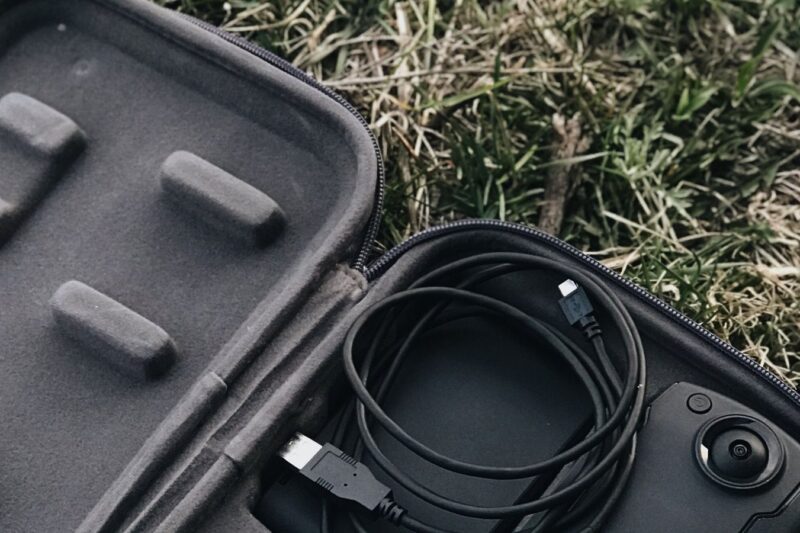
Plug the drone into a USB-C charger (DJI recommends its 30W USB-C Charger or another USB Power Delivery charger) until the battery starts charging. A new or flat battery is in hibernation and charging wakes it up. Then press the power button once, and press and hold it for two seconds.
Step 1: use the right button press
The Mini 4 Pro doesn’t turn on with a single long press. DJI’s manual says: press the power button once, then press and hold for two seconds. The same press turns it off.
A single short press only shows the battery level on the four LEDs, and the drone stays off. If you see the LEDs light up briefly and go out, the battery has charge and you just need the full press-then-hold.
The DJI RC 2 and RC-N2 use the same press-then-hold to power on.
Step 2: wake a new or flat battery
New battery? DJI ships all Intelligent Flight Batteries in hibernation mode for safety. You have to charge it to activate it the first time. DJI says to connect the USB charger to the USB-C port on the aircraft, and the battery is activated as soon as it starts charging.
Left it for a while? If the battery drops below 10% while the drone is idle, DJI says it goes into hibernation to stop it over-discharging. Charge it to wake it.
Fully charged and left? That’s fine. DJI says a full battery discharges itself to 96% after three days idle and to 60% after nine days, to prevent swelling. It may feel warm while it does this. It still powers on normally.
Step 3: check it’s actually charging
DJI’s charging rules for the Mini 4 Pro:
- The battery can’t charge while the drone is powered on. Turn it off first.
- It only charges between 5° and 40°C, with 22° to 28°C ideal. A battery left in a freezing car or a hot boot won’t start charging until it’s back in range.
- Don’t charge straight after a flight, because the battery may be too hot.
- Through the aircraft or charging hub, the maximum charging power is 30 W, and the aircraft charging port takes a maximum of 12 V.
While charging, the battery level LEDs show progress, and they blink faster on a fast charger. If one LED blinks in a regular pattern of two or three times a second instead, a protection mechanism has kicked in. DJI’s manual lists:
| Pattern | What DJI says it means |
|---|---|
| LED2 blinks twice per second | Overcurrent detected |
| LED2 blinks three times per second | Short circuit detected |
| LED3 blinks twice per second | Overcharge detected |
| LED3 blinks three times per second | Over-voltage charger detected |
| LED4 blinks twice per second | Charging temperature is too low |
| LED4 blinks three times per second | Charging temperature is too high |
DJI says to unplug the charger and plug it back in to resume. For a temperature warning, just wait. Charging restarts by itself when the temperature is back to normal.
Step 4: reseat the battery
DJI’s manual says that if LEDs 3 and 4 blink at the same time, the battery is malfunctioning or hasn’t been inserted correctly. Take it out, put it back in and make sure it clicks, which tells you the buckles are fastened.
Also check the battery compartment and the battery’s contacts for dirt or damage.
Step 5: know when the battery is finished
- Four LEDs blinking at the same time means DJI has detected a damaged battery. Stop using it.
- If DJI Fly shows a maintenance prompt, DJI says to fully charge the battery and let it rest for 48 hours. If it still doesn’t work after two rounds of maintenance, contact DJI.
- DJI Fly also warns you if a damaged battery cell is detected.
If you have a second battery, try it. If the drone powers on with the spare, the problem is the first battery, not the drone.
Powers on, then shows errors?
If the drone does power on but the status indicators blink red, DJI’s manual lists these warning states: blinking red slowly means takeoff is disabled (for example low battery, check the prompt in DJI Fly), blinking red quickly means critically low battery, solid red means a critical error, and blinking red and yellow alternately means compass calibration is required. Our guide to a Mini 4 Pro that won’t take off covers what to do next.
When to contact DJI support
Contact DJI if the drone won’t power on with a known-good, charged battery, if four LEDs blink together, or if a battery fails maintenance twice. DJI’s UK support page lists online customer service and an English-language hotline, Monday to Sunday, 8:00 to 20:00 UK time.
Frequently asked questions
How do you turn on a DJI Mini 4 Pro?
Press the power button once, then press and hold it for two seconds. A single press only shows the battery level.
Why won’t my new Mini 4 Pro battery turn on?
DJI ships batteries in hibernation mode. Charge it through the drone’s USB-C port and it activates as soon as it starts charging.
Can I charge the battery with the drone switched on?
No. DJI says the battery can’t charge while the aircraft is powered on.
What does it mean when all four battery lights flash?
DJI says four LEDs blinking at the same time indicates the battery is damaged.
Still stuck?
- Mini 4 Pro won’t take off? What to check
- How to look after your drone batteries
- The full DJI Mini 4 Pro help hub
Sources (checked 18 October 2026)
- DJI Mini 4 Pro User Manual (EN): Preparing the Aircraft, Aircraft Status Indicators (Warning States), Intelligent Flight Battery (Battery Features, Using the Battery, Powering On/Off, Charging the Battery, Battery Protection Mechanisms, Inserting/Removing the Battery), Remote Controller. dji.com/uk/mini-4-pro/downloads
- DJI Mini 4 Pro FAQ: battery activation. dji.com/uk/mini-4-pro/faq
- DJI UK support and repair: dji.com/uk/support/repair