Image: DJI
Pressing the power button on a DJI Neo 2 and getting nothing back is unnerving, especially on a drone this small. Most of the time the battery is flat, asleep or not clicked in, or the power button isn’t being pressed the way DJI intends.
Here’s how to work through it, using DJI’s Neo 2 user manual.
Last checked: 18 October 2026, against DJI’s Neo 2 user manual (v1.2) and FAQ.
Quick fix
Make sure the battery is clicked in, then charge the Neo 2 with a USB charger of 15 W or more (5V, 3A) with the drone powered off. Then press the power button once, then press and hold it to power on. A battery that’s been stored for a long time goes to sleep, and charging wakes it up.
Step 1: use the right button press
DJI’s manual says to press, then press and hold the power button to turn the Neo 2 on or off. A single short press only shows the battery level on the LEDs.
Step 2: check the battery is seated
DJI says to make sure the battery is mounted securely, with a click. Don’t fly with a battery that isn’t secure, because poor contact can be dangerous. DJI also says not to insert or remove the battery while the drone is powered on.
Step 3: charge it, and wake it from sleep
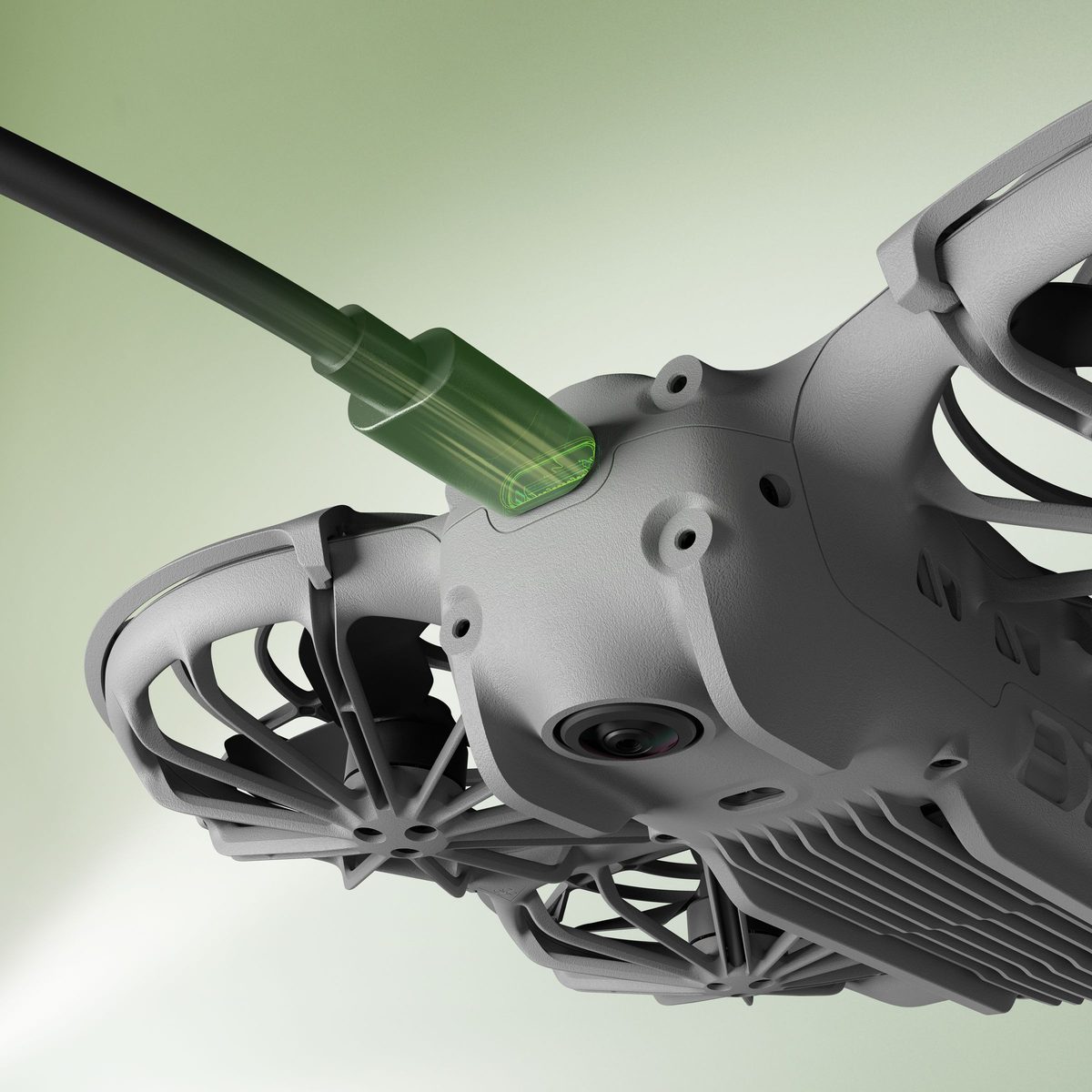
DJI’s manual says the battery goes into sleep mode during long-term storage, and charging it brings it out. Some rules to get right:
- Power the drone off. DJI says the battery can’t charge while the aircraft is powered on.
- Use a suitable charger. DJI shows a charger of 15 W or more (5V, 3A) for charging through the drone. Its FAQ recommends the DJI 65W Portable Charger or the DJI 30W USB-C Charger for charging through the aircraft body, which takes about 70 minutes from 0 to 100% at 15 W.
- Mind the temperature. The battery only charges between 5° and 40°C, with 22° to 28°C ideal. Don’t charge it straight after a flight, because it may be too hot.
If you’ve got the Digital Transceiver fitted, DJI says you can still charge or connect to a computer through the transceiver’s USB-C port, without taking it off.
Step 4: read the battery LEDs
While charging, the LEDs show the charge level, and they blink faster on a fast charger. DJI’s manual lists these warning patterns:
| Pattern | What DJI says it means |
|---|---|
| Four LEDs blink at the same time | The battery is damaged |
| LED2 blinks twice per second | Overcurrent detected |
| LED2 blinks three times per second | Short circuit detected |
| LED3 blinks twice per second | Overcharge detected |
| LED3 blinks three times per second | Over-voltage charger detected |
| LED4 blinks twice per second | Charging temperature is too low |
| LED4 blinks three times per second | Charging temperature is too high |
For any protection warning, DJI says to unplug the charger and plug it back in. For a temperature warning, just wait: charging resumes by itself when the temperature is back to normal.
Step 5: it powers on but won’t fly?
Once it’s on, the status indicator tells you what’s wrong. DJI’s manual says:
- solid red means the tracking subject is lost or takeoff is disabled, for example because of low battery. Check the warning prompt in DJI Fly,
- blinking red quickly means critically low battery, or GNSS and vision are both unavailable and the drone is in Attitude mode.
Also check the gimbal protector is off. DJI says leaving it on may affect the self-diagnostics.
Battery health and storage
- DJI rates the Neo 2 battery for 200 cycles and doesn’t recommend using it after that.
- Fully charge it at least once every three months. DJI says a battery that hasn’t been charged or discharged for three months or more is no longer covered by the warranty.
- A fully charged battery discharges itself when it’s left idle, and DJI says it’s normal for it to feel warm while it does.
- For travel, DJI recommends discharging to 30% or lower.
Our drone battery care guide has a simple routine to follow.
When to contact DJI support
DJI’s troubleshooting advice for power-on problems is to check the battery has power, and to contact DJI Support if it still won’t start normally. Contact DJI too if four LEDs blink together. DJI’s UK support page lists online customer service and an English-language hotline, Monday to Sunday, 8:00 to 20:00 UK time.
Frequently asked questions
How do I turn on the DJI Neo 2?
Press the power button once, then press and hold it. A single press only shows the battery level.
Why won’t my Neo 2 charge?
DJI says the battery can’t charge while the drone is powered on, and only charges between 5° and 40°C. Use a 15 W or higher USB charger.
What does solid red mean on the Neo 2?
DJI says the tracking subject is lost or takeoff is disabled, for example because of low battery. Check the prompt in DJI Fly.
How long does the Neo 2 take to charge?
DJI says about 70 minutes in the drone at 15 W, or about 68 minutes for three batteries together in the Two-Way Charging Hub with a 65 W charger.
Still stuck?
- Neo 2 not connecting to your phone? How to fix it
- How to look after your drone batteries
- The full DJI Neo 2 help hub
Sources (checked 18 October 2026)
- DJI Neo 2 User Manual v1.2 (EN): Preparing the Aircraft, Preparing DJI Neo 2 Digital Transceiver, Aircraft Status Indicator, Intelligent Flight Battery (Notice, Installing/Removing, Using the Battery, Powering On/Off, Charging, Battery Protection Mechanisms), Maintenance, Troubleshooting Procedures. dl.djicdn.com Neo 2 user manual
- DJI Neo 2 FAQ: charging options and recommended chargers. dji.com/uk/neo-2/faq
- DJI UK support and repair: dji.com/uk/support/repair