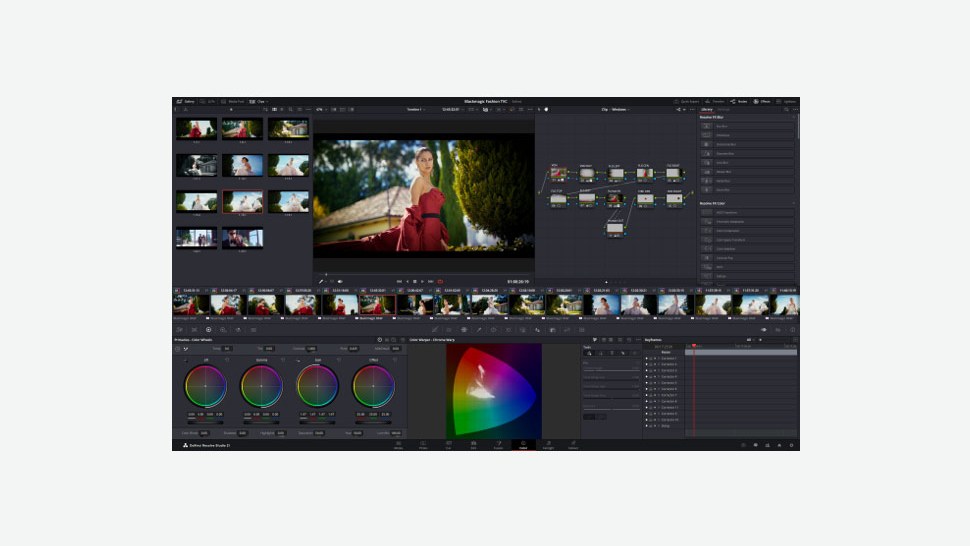
DaVinci Resolve Studio 21. Image: Blackmagic Design, cropped.
If you edit your drone footage in DaVinci Resolve, now’s a good time to think about going Studio. Blackmagic Design has announced a limited-time “DaVinci Resolve Studio AI Sale”. In the UK, Studio drops from £225 to £185 ex VAT, and a range of its editing keyboards and colour panels are 20% off.
The offer runs from Blackmagic Design resellers worldwide until Friday 20 November. The keyboards and panels are only on offer while stocks last.
The UK prices
Blackmagic’s UK sale page lists these prices. Its UK site says list prices exclude VAT, so expect to pay more at the checkout.
- DaVinci Resolve Studio 21: was £225, now £185
- DaVinci Resolve Speed Editor: was £305, now £245
- DaVinci Resolve Micro Color Panel: was £395, now £315
- DaVinci Resolve Replay Editor: was £395, now £315
- DaVinci Resolve Editor Keyboard: was £465, now £375
- DaVinci Resolve Mini Panel: was £1,609, now £1,289
- DaVinci Resolve Advanced Panel: was £23,185, now £18,549
Reseller prices can vary, so check the final price before you buy.
Do drone pilots actually need Studio?
Let’s be honest first: the free version of DaVinci Resolve is brilliant. Blackmagic says it edits and finishes at up to 60 fps in resolutions up to Ultra HD 3840 x 2160, with full colour grading tools. If you shoot 4K at 30 fps and grade at home, free Resolve may be all you need.
Studio earns its keep once your footage goes beyond that. Blackmagic says Studio supports up to 120 fps at up to 32K, so high frame rate and higher than UHD clips aren’t capped. It also adds multi-GPU acceleration for real-time playback of professional 10-bit formats, plus hardware-accelerated H.264 and H.265 decoding and encoding. That matters if your 10-bit D-Log clips stutter on the timeline.
For aerial work, a few Studio-only tools stand out:
- AI UltraNR noise reduction, for grainy dusk and low-light flights
- Lens distortion correction, which analyses a clip and corrects for spherical lens distortion
- De-flickering and dust-busting tools, among more than 45 extra Resolve FX
- Speed Warp retiming for smooth slow motion, and Super Scale for uprezzing HD to 4K or 8K
- Magic Mask, object removal and Film Look Creator, for isolating subjects, painting out distractions and adding filmic looks
Blackmagic also says Studio includes Dolby Vision and HDR10+ grading and HDR scopes, which is handy if you deliver HDR.
The Speed Editor is the pick of the hardware for most of us. It’s a compact keyboard with a big search dial, and it can work wirelessly over Bluetooth.
Sources: Blackmagic Design: DaVinci Resolve Studio AI Sale (UK) · Blackmagic Design: DaVinci Resolve Studio · Blackmagic Design: DaVinci Resolve